Meet Autopilot: Your new pipeline, inbox, and AI recruiting assistant
Every reply answered and every interview booked, before you open your inbox.
Every reply answered and every interview booked, before you open your inbox.
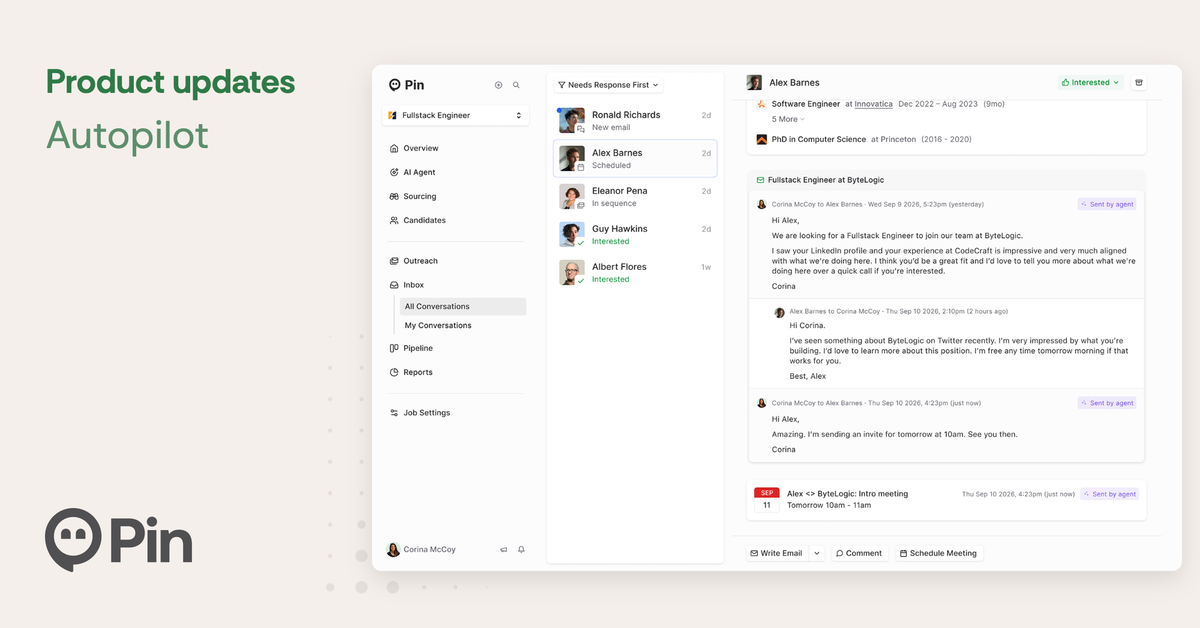
You've put in the work to find great candidates. Then the replies start coming in, and suddenly your day is answering "What's the salary range?" for the fifth time, going back and forth on interview times, and chasing people who went quiet.
That’s why we built Autopilot. It takes over the conversation once a candidate replies. It answers their questions, books interviews, and keeps every candidate moving, while you stay in control of what goes out.
Want to see it in action? Our CEO Steve sat down with Preston Park, agency owner and Pin advisor, to walk through how Autopilot works and what it means for recruiters with a full desk.

▶ Jump to the Autopilot walkthrough or watch the full conversation (21 min)
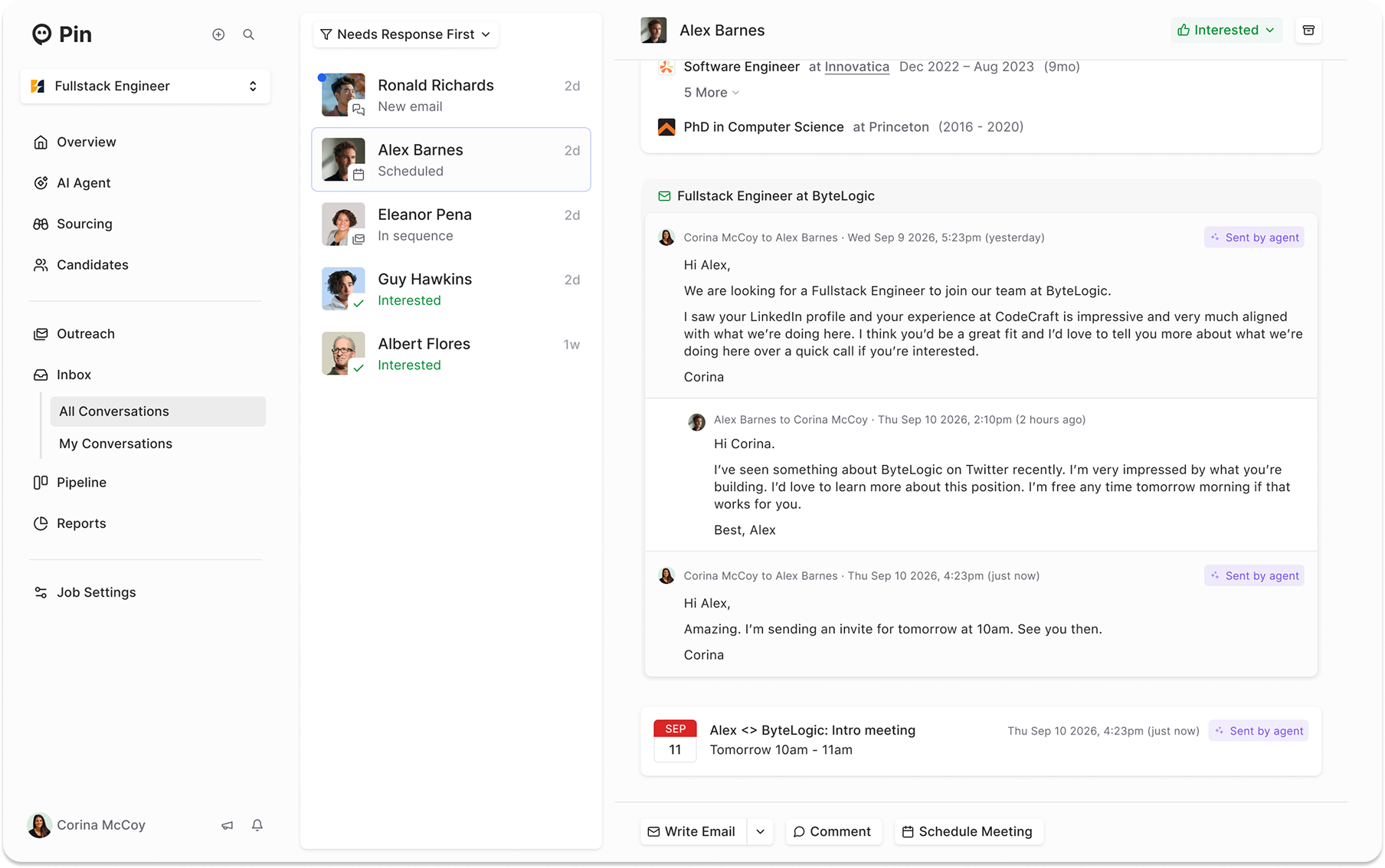
Every conversation lives in your Inbox, now with a clear record of what happened and when. Autopilot logs key moments, like when a candidate replies or moves to a new stage. Anything it sends for you is marked “Sent by agent”. See how the Inbox works.
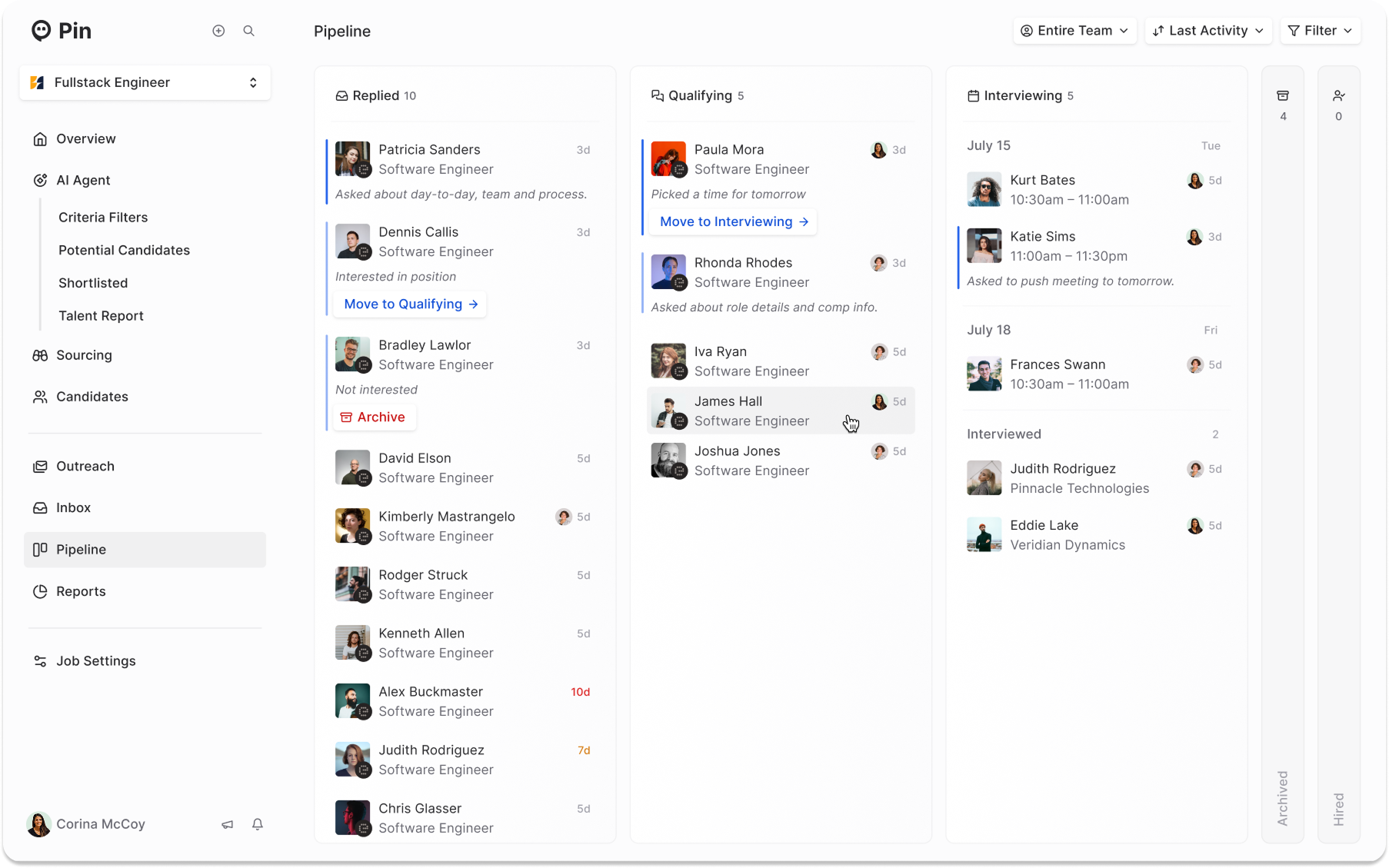
When a candidate replies, they land on your job's new Pipeline board and move through Replied → Qualifying → Interviewing → Hired as the conversation progresses. Autopilot updates the stages for you. Explore the Pipeline board.
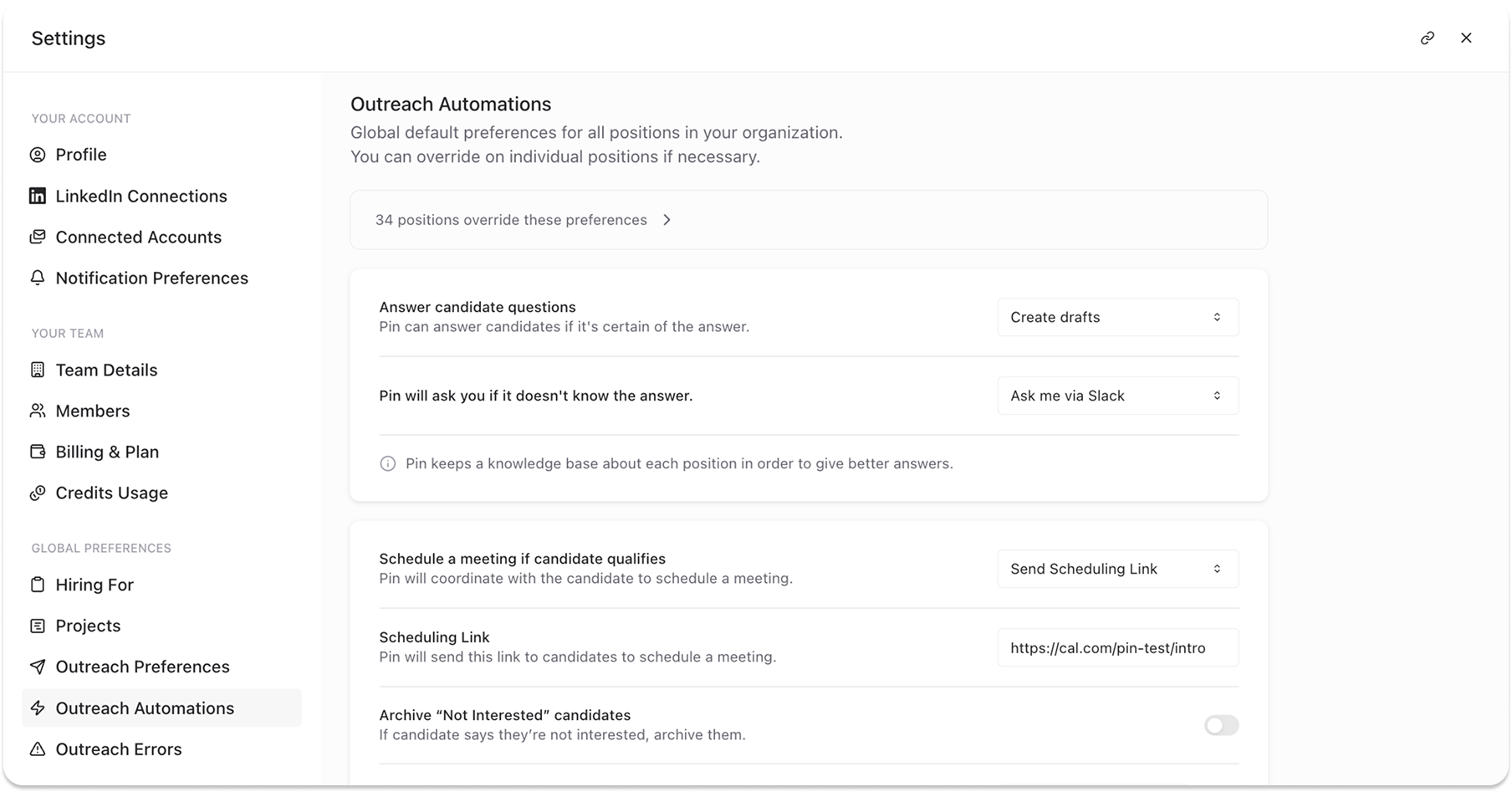
Start with drafts you review, or let Autopilot answer questions, book interviews, and follow up with quiet candidates on its own. When it doesn't know an answer, it checks with you on Slack instead of guessing. Set it up for your whole team or customize it per job. Set up your automations.
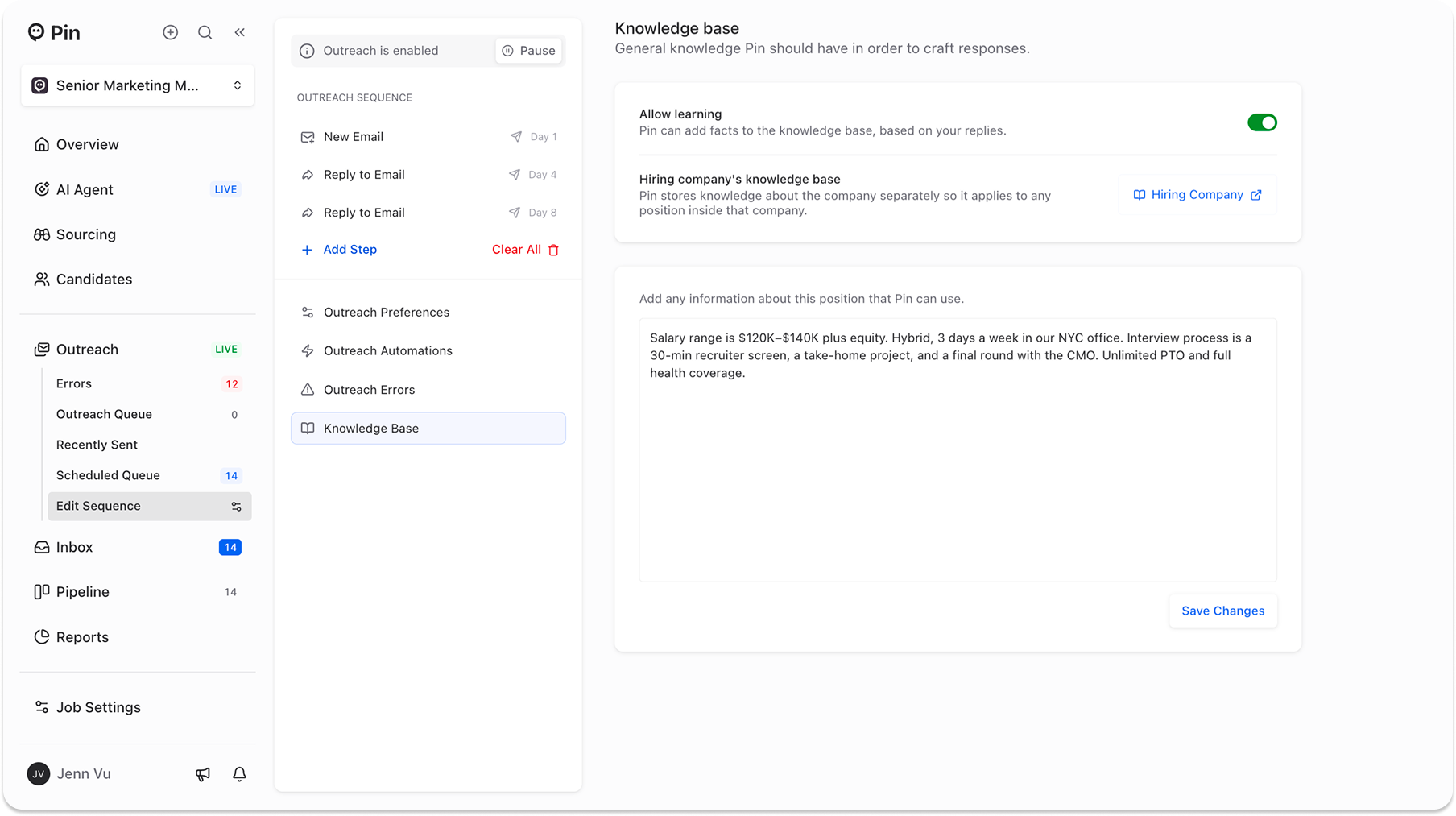
Add the details candidates always ask about, like compensation, interview steps, and work setup, and Autopilot answers for you. Company-wide info carries over to every role at that company, and with learning on, you only answer a question once. Recruiting for a confidential client? One toggle keeps the company name out of your outreach. Build your Knowledge Base.